NostalgiaCraft Wiki
How to Trade with Other Players
Using /trade:
- Arrange a deal with a player either in game chat or privately on the Discord
- Use the command [
/spawn] to meet up at spawn, then the command [/trade <username>] with the player you want to trade with - They must accept the trade (either by typing [/trade accept] or clicking “Accept” in the chat pop-up)
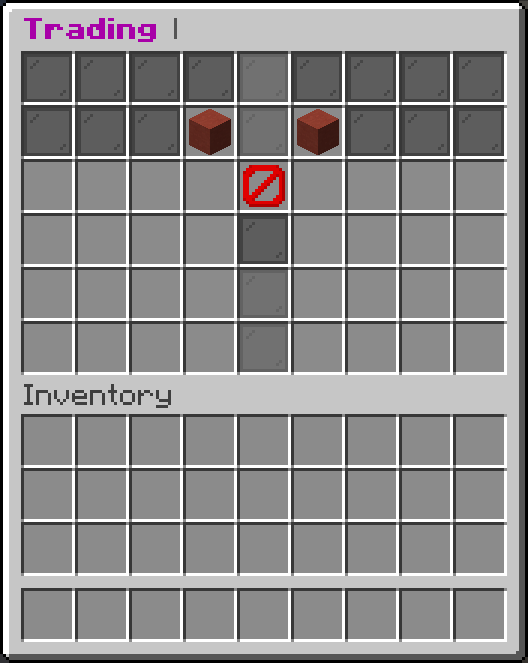
- Use the GUI and deposit your item(s) you want to trade
- Press accept (red concrete block) once you are happy with the trade. Once the trade is accepted by both parties, it will be processed after 5 seconds.
If you are on Bedrock edition, you may have to drag the green button into your inventory for the trade to complete.
Tip: You can also [crouch + right click] the other player to send a trade request or to accept their trade request. You can use [/toggletrade] to toggle accepting trade requests.